
Insights & advisories

Field notes from the Ironvale bench

Short, practical write-ups from work we have actually done for businesses in the Pomona valley. Published when we have something worth saying, not on a content calendar.

Two colleagues reviewing a security report on a tablet

July 14, 2026 · Security advisory · By Kasey Loftus

Multi-factor authentication is now a condition of insurance, not a nice-to-have

Three of our clients renewed cyber policies this spring and all three carriers required enforced MFA on email and remote access. Here is the shortest path to compliance in a Microsoft 365 tenant.

Read the full note

Every cyber-liability renewal we reviewed between February and June of this year asked the same question in slightly different words: is multi-factor authentication enforced for all users on email, VPN and remote desktop access? Carriers are no longer accepting “available” as an answer. They want enforcement, and increasingly they want a screenshot of the conditional access policy.

What enforcement actually means

Having MFA switched on per-user is not enforcement. A tenant where twelve of fifteen staff have registered an authenticator app still has three accounts an attacker can use, and those three are usually the owner, the bookkeeper and a shared reception mailbox — the exact accounts that matter. Enforcement means a tenant-wide policy that blocks sign-in without a second factor, with a documented, time-limited exception list.

The order we use

  1. Inventory every account, including shared mailboxes, service accounts and old contractor logins. Most offices we assess have between two and nine accounts nobody can identify.
  2. Disable legacy authentication protocols. Enforcing MFA while POP, IMAP and SMTP basic auth remain open leaves a bypass wide open.
  3. Register staff during a single scheduled session, not by email announcement. Ninety minutes with the team saves three weeks of chasing.
  4. Move break-glass administrator accounts to hardware keys and store them physically, sealed and logged.
  5. Enable sign-in risk reporting and actually read it weekly for the first month.

In our experience the entire project takes one working day for an office under thirty staff, plus a two-week tail for stragglers. The insurance saving alone has covered the cost for every client who has asked us to quote it.

What breaks

Expect three categories of friction: multifunction copiers that scan-to-email using basic authentication, legacy line-of-business software with hard-coded mail credentials, and staff who use a personal device they do not want to enrol. All three have clean solutions — an SMTP relay connector, an application password scoped to a single mailbox, and a desk-based hardware token respectively. None of them justify leaving the tenant unprotected.

Questions about this piece? Call 909-292-2279 or email marketing@news.pakcomputersolution.com.

Technician working on a laptop mainboard at a repair bench

June 27, 2026 · Hardware planning · By Kasey Loftus

The Windows 10 hardware you kept is now costing you more than replacing it

Extended security updates buy time, not value. We looked at the real per-machine cost of holding old workstations across four client fleets.

Read the full note

Now that mainstream support has ended, the question we get weekly is whether to pay for extended security updates or replace hardware. We pulled ticket data from four client fleets totalling 214 workstations to answer it with numbers rather than opinion.

What the ticket data showed

Machines aged six years or older generated 3.4 times more support tickets per device per year than machines under three years old. The average unplanned downtime per incident was 71 minutes, and roughly a fifth of those incidents required a bench visit rather than a remote fix. Once you price staff time at even a modest hourly figure, a single failing workstation consumes its own replacement cost in about fourteen months.

A staged replacement beats a fleet refresh

We rarely recommend replacing everything at once. Capital lumps are hard to approve and a single-batch fleet means a single-batch failure four years later. The pattern that works: identify the worst quartile by age and ticket count, replace those, and set a standing quarterly budget line for the next tranche. Standardise on two or three configurations so imaging, spares and documentation stay simple.

What we do with the retired units

Machines that still hold value become spares, loaners or single-purpose kiosks on a supported operating system. Everything else is wiped to a documented standard, with a certificate of destruction issued for any device that stored client or patient data. We do not resell client hardware.

If you want the spreadsheet template we use to model this, ask us on the contact page and we will email it. No form-fill funnel, no newsletter subscription.

Questions about this piece? Call 909-292-2279 or email marketing@news.pakcomputersolution.com.
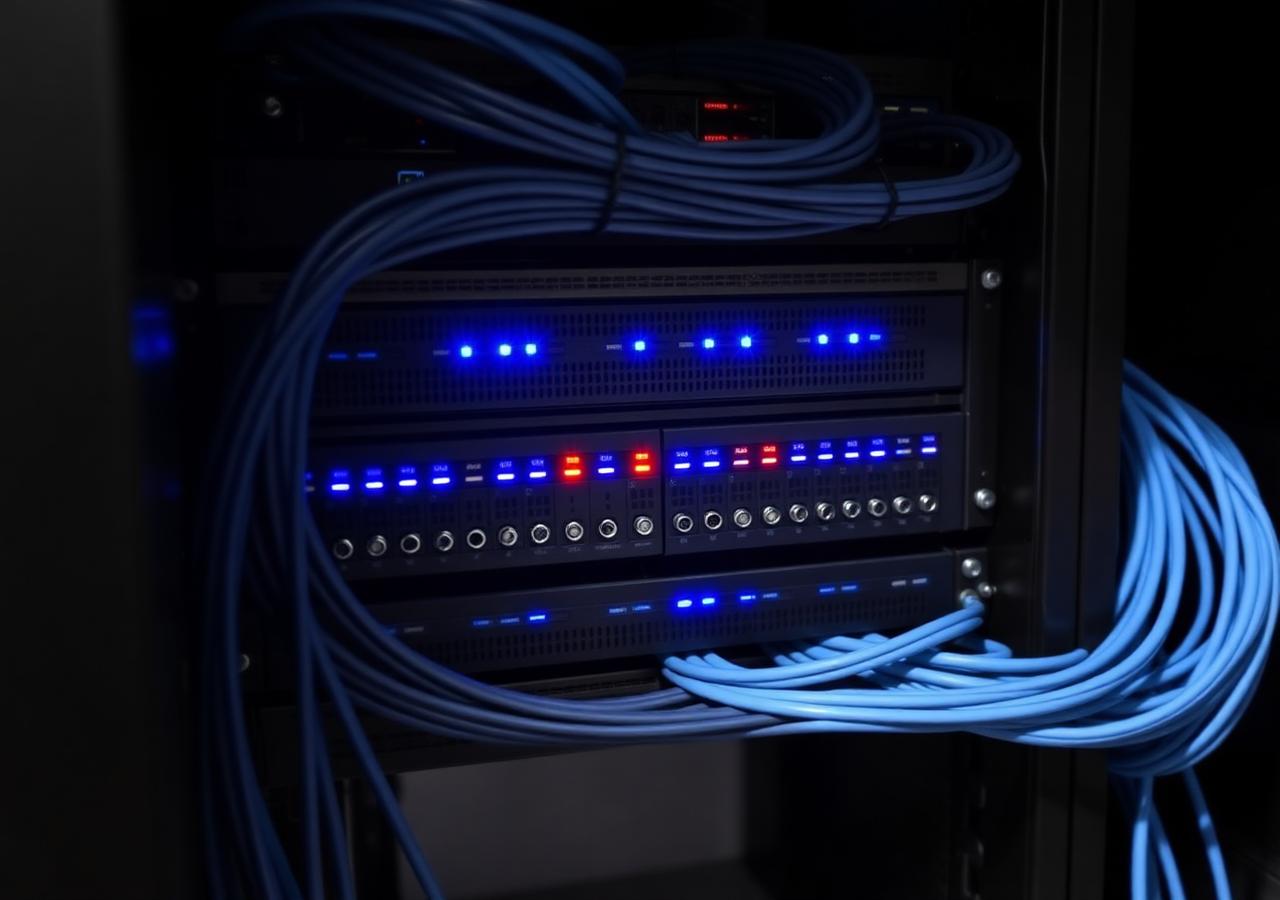
Server rack with managed switches and neatly bundled network cabling

June 9, 2026 · Infrastructure · By Kasey Loftus

Four cabling shortcuts we keep finding in Inland Empire offices

Daisy-chained desk switches, unterminated runs, no labelling and a firewall in a cupboard. The four physical-layer problems behind most 'the internet is slow' complaints.

Read the full note

When a client reports that the network is slow, the cause is at the physical layer far more often than anyone expects. These four patterns account for the majority of what we have found on site over the past two years.

1. The five-port desk switch chain

Someone needed one more port, bought an unmanaged switch, then someone else did the same off that switch. We have found chains four deep. Each hop adds latency, none of it is monitored, and a single cheap power supply failure takes down half a department.

2. Runs that were never properly terminated

Hand-crimped plugs pushed into wall plates, untwisted pairs, and cable stapled around fluorescent fittings. These pass a link light test and fail under load. We test every run to standard and publish the results, because a link light is not a certification.

3. No labelling at either end

An unlabelled patch panel turns a five-minute fault into a two-hour hunt. Labelling costs an hour during installation and saves that hour on the first incident. There is no argument against it.

4. The firewall in the janitorial closet

Heat, dust and no lock. Edge equipment belongs in a ventilated, secured location with clean power and a UPS. We have replaced firewalls that failed purely because they sat above a water heater for three years.

None of this work is glamorous, and none of it is expensive relative to the downtime it prevents. If your last cabling project has no documentation attached to it, treat that as the finding.

Questions about this piece? Call 909-292-2279 or email marketing@news.pakcomputersolution.com.

Staff reviewing a phishing awareness report

May 21, 2026 · Security advisory · By Kasey Loftus

Phishing drills only work when you stop grading people

Simulation click rates make a poor performance metric and a good process metric. How we run awareness programmes without turning staff into adversaries.

Read the full note

Awareness training fails for a predictable reason: it is delivered as a test with a pass mark, so staff learn to avoid being caught rather than to report. The moment an employee hides a click, your detection window closes.

Report rate over click rate

We track how quickly a simulated message is reported, not who clicked. Clients who adopt this see reporting climb within two campaigns, and reporting is the metric that shortens real incident response. A workforce that reports a genuine payroll-diversion attempt within four minutes is worth more than one with a low click statistic and a culture of silence.

Campaign design that reflects local reality

Generic templates about parcel deliveries teach very little. The messages that fool people here are invoice-approval requests that reference an actual vendor, and text messages that appear to come from an owner asking for gift cards or a wire change. We write scenarios around each client's real workflow, with their permission and with the owner briefed in advance.

Pair it with a process control

No training programme stops every click, so the payment process has to be able to absorb one. Verbal verification on any change of bank details, using a phone number already on file, has prevented more loss for our clients than every simulation we have ever sent.

Questions about this piece? Call 909-292-2279 or email marketing@news.pakcomputersolution.com.

Backup and recovery hardware in a rack

May 2, 2026 · Business continuity · By Kasey Loftus

A green backup dashboard is not a recovery plan

Every quarter we restore a live client server to isolated hardware and time it. Here is what those drills consistently reveal.

Read the full note

Backup software reports on whether a job completed. It does not report on whether the resulting data will boot, whether the application inside it will start, or how long the whole process takes with your staff standing around. Those three questions are the only ones that matter during an outage.

What the drills reveal

Across roughly forty restore drills we have performed, the three most common findings are: a database that backs up while running and therefore restores inconsistently, missing licence keys or credentials needed to bring an application back up, and a recovery time three to five times longer than the client assumed. Every one of those is trivial to fix once known and expensive to discover during a real failure.

How we structure the drill

  1. Pick one production system per quarter, rotating through the list.
  2. Restore to isolated hardware or a sandboxed virtual environment, never to production.
  3. Time each phase and record who performed it.
  4. Validate at the application layer — open the software, run a report, print something.
  5. Issue a one-page result with the measured recovery time and any corrective actions.

Ask your current provider for their last restore test report. The answer to that single question tells you almost everything about the quality of your continuity arrangement.

Questions about this piece? Call 909-292-2279 or email marketing@news.pakcomputersolution.com.

Operations floor with monitors and desk phones

April 15, 2026 · Cloud & voice · By Kasey Loftus

Moving a 40-person office off a legacy phone system without a bad week

Number porting, call-flow mapping and the two decisions that cause most migration pain. A practical field account.

Read the full note

Legacy on-premise phone systems tend to be replaced under duress: the vendor stops supporting the hardware, or a card fails and the replacement part is on an auction site. Planned migrations go far better than forced ones, and the planning is mostly non-technical.

Map the call flow before touching anything

Draw where a call goes at 9 AM, at lunch, after hours and when the main line is busy. Most offices have undocumented behaviour built up over a decade: a ring group that includes a person who left, an after-hours greeting recorded by a former receptionist, a fax line still connected to something. Write it all down and get the owner to sign off the target design.

Numbers port on someone else's schedule

Porting is a carrier process with a queue and a firm cutover window, and it is the one element of the project you do not control. We provision the new platform in parallel, run both for a week with forwarding, and schedule the port for a Tuesday morning so there are four working days to resolve anything before the weekend.

The two decisions that cause the pain

First, headsets versus desk handsets — decide per role, not per office, and buy one of each for people to try. Second, whether staff mobiles are in scope. If they are, the mobile app needs a policy on out-of-hours availability before it goes live, or you will create an expectation problem that has nothing to do with technology.

Questions about this piece? Call 909-292-2279 or email marketing@news.pakcomputersolution.com.

Editorial standards

How these notes get written

Every piece on this page is drafted by Kasey Loftus or a senior engineer after the work described has been completed for a paying client. Client names and identifying details are omitted or generalised unless we hold written permission. Figures quoted come from our own ticketing and monitoring data, and where a number is an estimate we say so.

We do not accept sponsored posts, vendor-supplied articles or affiliate placements. If a product is named it is because we deploy it. Corrections are made in place with a dated note; if you spot an error, please write to marketing@news.pakcomputersolution.com and we will address it.

Get the monthly summary

One email per month with anything locally relevant — advisories, price changes from major vendors, and a short note on what we have been fixing. No sales sequences.

Thank you. Please confirm the subscription from the email we just sent.

We store your address only to send this summary and you can unsubscribe from any issue. See our Privacy Policy.